



How to Optimise E-Commerce Operations for Scalable Growth
07/08/2026
4 Minute read


7 Ways to Optimise E-Commerce Operations for Scalable Growth
Growth exposes operational problems fast. Manual processes cause delays, disconnected systems lead to errors, and internal teams spend more time fixing orders than supporting growth. You don’t always need more software; often, you simply need clearer processes, the right people, and better support.
Use these seven steps to streamline your operations and scale your backend.
1. Map Your E-Commerce Workflow
Trace an order from checkout through payment, fulfilment, delivery, and returns using a process map to identify delays.
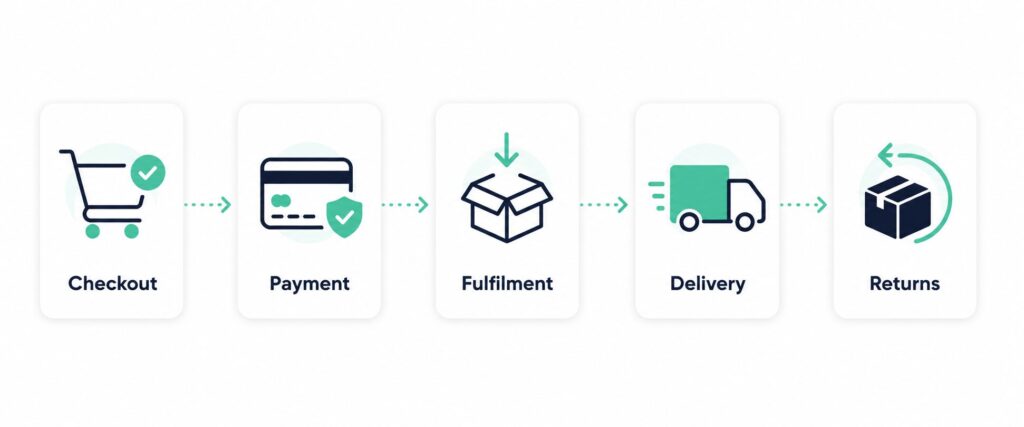
Record and Measure
- Identify: Map out the task owner, system used, required information, error points, and time required for every stage. Pay attention to handoffs where information flow stalls.
- Quantify: Track key performance measures like processing time, picking/packing errors, and delivery delays. Use Google Analytics and GA4 funnel reports to monitor these interactions.
2. Centralise Order and Inventory Data
Disconnected systems cause errors, such as mismatched stock levels between your website and warehouse. Unify orders, stock, delivery, and product data into one order management system.
Create a Reliable View
- Ensure your team can view multi-channel orders, track the full lifecycle, and sync inventory levels in real-time.
- Avoid manual reconciliation (refer to Shopify’s inventory management guide).
3. Automate Repetitive Tasks
Fix your processes before automating them. Once stable, automate frequent, predictable tasks while keeping sensitive decisions human-led.
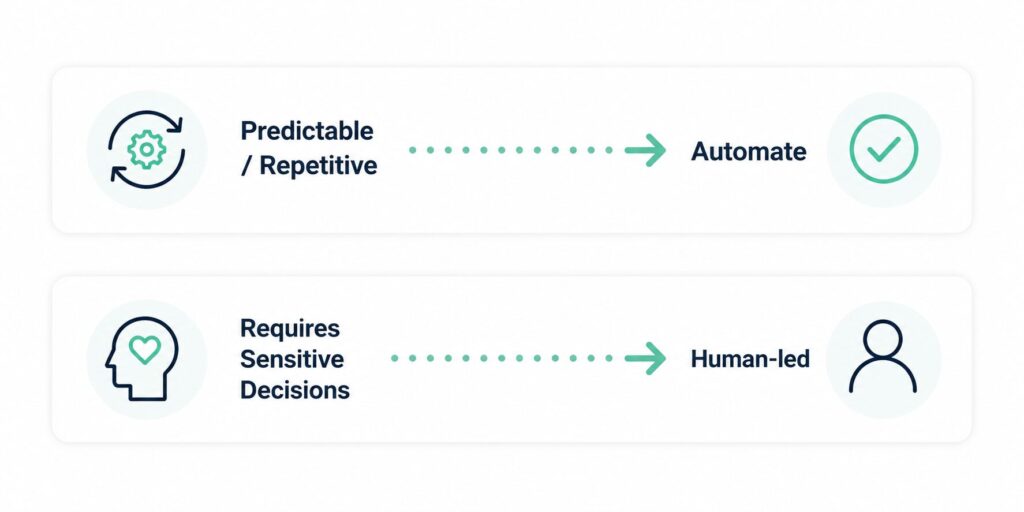
Choose simple automation opportunities
- Order confirmations and dispatch notifications
- Low-stock and inventory alerts
- Support ticket routing and status updates
- Recurring operational reports
Every automated task needs a clear starting point, a person responsible, and a backup process. For example, a delayed shipment should automatically trigger a customer update and a support task for human review. See Order automation for implementation guidance.
4. Improve Inventory Planning
Poor planning drains cash flow, leaving you with surplus slow-movers and shortages of best-sellers. Use real demand data—sales history, promotions, and lead times—to guide purchasing. Inventory forecasting helps translate these data points into actionable stock targets.
Strategic Product-Level Planning
- Set reorder points: Establish thresholds for high-priority items.
- Track lead times: Account for supplier delays to prevent stockouts.
- Monitor channels: Avoid relying on company-wide totals; track demand by sales channel.
- Review regularly: Refresh forecasts to account for seasonal shifts.
Compare different demand forecasting methods to find the best fit for your sales volume.
5. Create Workflows for Order Problems
Exceptions like payment failures or returns are time-consuming. Instead of ad-hoc fixes, create a standard, documented response process for each scenario.
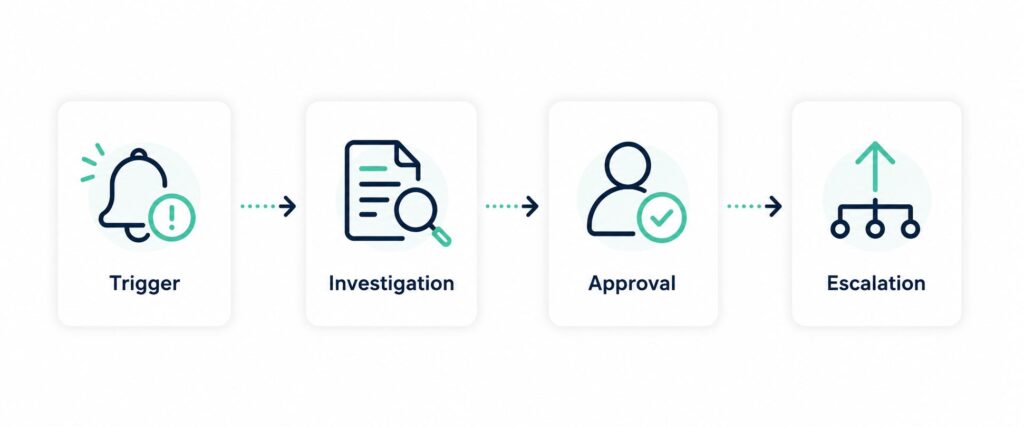
Assign Clear Ownership
For every exception, document:
- Triggers: What officially starts the review?
- Execution: Who investigates and who approves refunds?
- Escalation: When must a manager step in?
- Tracking: Use order tags to identify recurring patterns (e.g., frequent address errors).
Use a structured returns process to link inventory and customer communication. For payment failures, use automatic retries where possible, but review specific card decline reasons before deciding whether to retry or contact the customer.
6. Connect Customer Support with Operations
Your support team acts as an early warning system. Give them access to real-time order and inventory data so they can resolve issues faster. Focus on E-Commerce customer service that acts proactively to prevent future complaints.
Customer Support Feedback Loop:
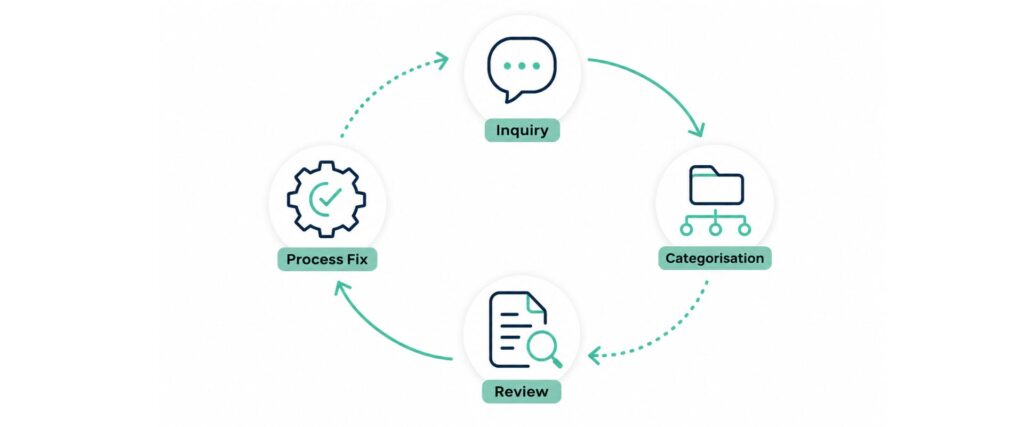
Organise and Measure Enquiries
- Categorise: Use clear tags (e.g., Delivery Delay, Damaged Item) to surface trends.
- Review: Meet with operations monthly to fix the source of frequently reported issues.
- Measure: Track resolution time, reopened cases, and customer satisfaction.
A clear customer service management process helps resolve the root cause rather than just closing tickets.
7. Assign Clear Owners and Build the Right Team
Technology is only as effective as the people managing it. Assign clear ownership for inventory, exceptions, returns, and support using a roles and responsibilities framework so everyone knows who makes decisions and who needs updates.
Standardise and Scale
- Practical SOPs: Use short standard operating procedures featuring checklists and screenshots.
- Identify capacity gaps: If internal teams are overloaded, consider offshoring E-Commerce roles to dedicated specialists.
—
Scale the Backend Before Growth Creates Friction
Optimise operations by fixing small points of friction systematically. Map, assign, measure, and improve one process at a time. When administration hinders growth, Deployed can help you build a dedicated offshore team for data entry, customer service, and back-office roles.
Want to improve E-Commerce operational efficiency without overloading your internal team? Talk to Deployed about building a dedicated offshore team.

Prepare Your Ecommerce Team for the Black Friday Surge
A successful Black Friday promotion can quickly overwhelm your team with customer enqui...

Employer of Record vs Dedicated Offshore Staffing: Which Model Fits…
Growing your business often means growing your team. But when local hiring becomes more...

5 Clear Signs It Is Time to Partner With an…
Hiring global talent unlocks skills and lowers labor costs, but navigating foreign emp...